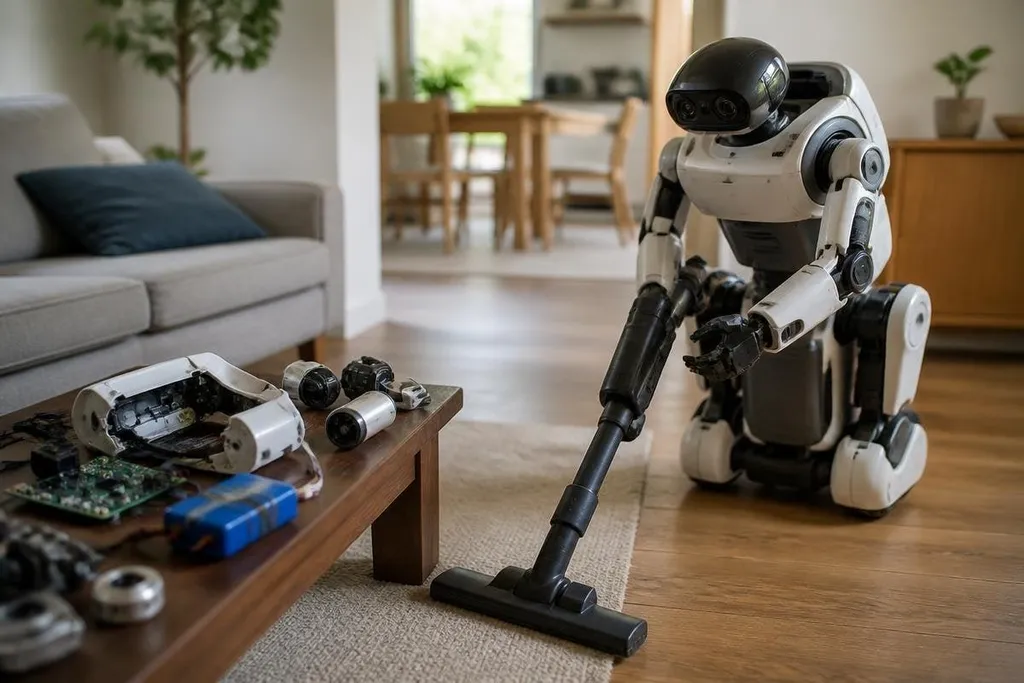
A home robot may use small motors, cameras, a battery, and a computer, yet the finished product can cost thousands of dollars. The gap comes from the work needed to make those parts move safely, repeat tasks, and survive daily use.
Quick read
- Low production runs spread design and factory costs across fewer robots.
- Sensors, actuators, batteries, software, and safety systems must work together.
- A lower price needs more than cheaper parts; it needs simpler tasks and reliable service.
The parts are only the starting point
A robot arm may contain motors, gearboxes, position sensors, wiring, a control board, and a gripper. A mobile robot adds wheels, battery packs, cameras, distance sensors, and a computer that reads the surroundings.
Each part has a job, but the robot's price also includes the brackets, connectors, cooling, seals, charging system, and testing needed to keep those parts working together.
A motor that costs little on its own may need a gearbox, encoder, controller, and custom mount before it can move a load with control. The same applies to software.
Its software needs code for motion, balance, object detection, charging, fault handling, and updates. When one sensor gives a bad reading or a wheel meets a rug, the software has to choose a safe response instead of making the problem worse.
Small production runs keep prices high
Consumer electronics companies can spread design, tooling, factory setup, and shipping costs across large numbers of identical products. A robot maker selling fewer units has fewer sales to carry those costs.
That matters because robotic hardware needs more assembly work than a device with no moving limbs. Motors must be fitted, cables routed, joints checked, and sensors placed so the software's measurements match the physical robot. More steps mean more chances for a unit to need repair before it leaves the factory.
A robot also needs parts that stay available after launch. If a maker has to keep replacement motors, battery packs, grippers, or control boards in stock, some of the sale price pays for that future supply.
Home use is a hard engineering problem
A factory robot usually works inside a planned area with fixed tools, known objects, and trained staff. A home robot faces loose cables, pets, stairs, changing light, narrow spaces, and objects it has never seen before.
That setting raises the cost of sensing and control. The robot needs to know where it is, what it can touch, how much force to use, and when to stop. A mistake near a person or a glass table can cause damage, so makers must test more cases and set limits on speed, torque, and reach.
Battery life adds another limit. Motors that lift or carry objects use more power than a small camera or processor. A battery large enough for useful work adds weight and cost, while a smaller battery means shorter work periods and more charging stops.
The hardware bill is only part of the price. Robot24.com robotics coverage can connect a consumer robot’s stated features to how it works in practice. Software updates, cloud fees, repairs, and remote support can keep adding cost after the box is open.
Software and service stay in the price
A robot maker still has work after the sale. It needs to fix software faults, handle returns, replace worn parts, answer setup questions, and release updates when the robot meets a new object or room layout.
Those tasks are harder for robots than for many household devices because a software fault can stop movement, drain the battery, or create a safety risk. Makers may also need remote support tools, diagnostic logs, spare parts, and trained repair staff.
The software itself may depend on cloud computing for speech, image processing, or remote monitoring. That can add a running charge, a network requirement, and another service to maintain. A low purchase price may still leave you paying for useful functions later.
Check the price before you buy
Use this list when comparing a home robot with a normal appliance:
- Task limits: Write down the exact jobs it can do without remote control.
- Battery use: Check the stated work time, charging method, and time between tasks.
- Safety controls: Look for speed limits, force limits, obstacle sensing, and a physical stop.
- Repair plan: Find out who replaces batteries, motors, grippers, and damaged cables.
- Software fees: Check which functions need a subscription or an internet connection.
- Proof of use: Look for an uncut demonstration or a named deployment, not only staged clips.
The lower-cost choice is usually a robot with fewer joints, a smaller task list, or a fixed environment. That trade can work well if you want floor cleaning, lawn cutting, or a single repeatable job.
I'd wait on a general-purpose home robot until the maker shows long-term use, repair prices, and clear software costs. The price should fall when factories build more units, but the better test is still simple: can the robot finish your task without a person standing beside it?