
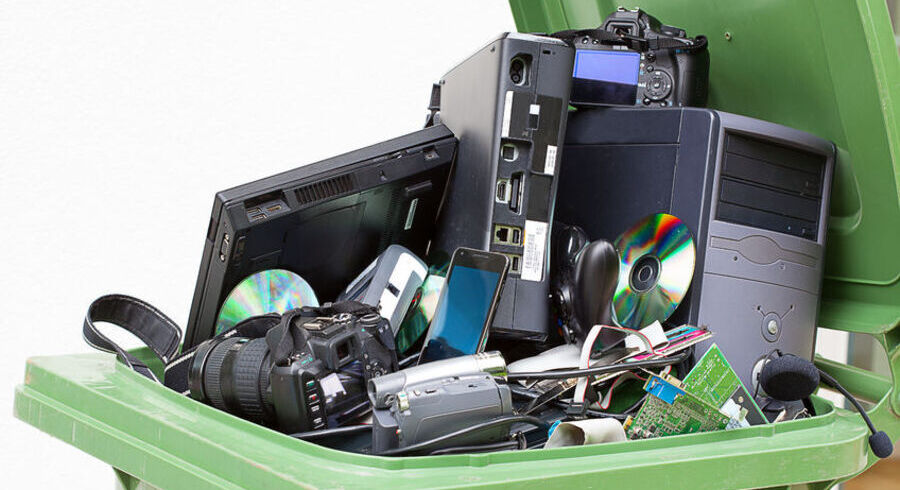
Understanding the Importance of Local Computer Disposal
In today’s fast-paced digital world, computers and electronics have become indispensable tools that power our personal and professional lives. However, the life cycle of these devices eventually ends, necessitating a responsible approach to their disposal. Proper local computer disposal is crucial not only for environmental sustainability but also for ensuring that sensitive data is handled correctly.
What is Local Computer Disposal?
Local computer disposal refers to the processes and methods used to safely and ethically eliminate old or unwanted computers and electronic devices within a specific geographical area. This might include recycling initiatives designed to repurpose valuable materials or programs dedicated to ensuring that electronics do not end up in landfills, where they could potentially harm the environment. Emphasizing local computer disposal ensures that residents leverage services tailored to their community, maximizing convenience and efficacy.
Environmental Impact of Improper Disposal
The improper disposal of electronic devices can lead to significant environmental harm. Many computers contain heavy metals like lead, cadmium, and mercury, which can seep into the ground and contaminate soil and water sources. Additionally, as electronics decay in landfills, harmful chemicals may be released into the air we breathe. Effective local computer disposal reduces these risks by promoting methods such as recycling and repurposing, which minimizes environmental impact.
Benefits of Responsible Recycling
Engaging in responsible recycling provides numerous benefits. It conserves natural resources by recovering valuable materials like gold, copper, and aluminum from outdated electronics, which can then be reused in new products. Furthermore, responsible recycling reduces the demand for new raw materials, subsequently decreasing the environmental footprint associated with mining and manufacturing. Moreover, it fosters sustainability in the community by encouraging a culture of mindful consumption and waste management.
Steps for Proper Local Computer Disposal
Identifying Your Disposal Needs
The first step in properly disposing of your computer is identifying your specific disposal needs. Are you looking to recycle a functional device, or do you need to dispose of one that’s broken? Additionally, understanding the type of materials involved—like batteries or monitors—can influence your method of disposal. This clarity will streamline the process, making it easier to find suitable local resources.
Finding Local Recycling Programs
Numerous local programs and resources exist for the disposal of electronic waste, including municipal recycling events and private e-waste collection services. To locate these options, research community databases, conduct an online search for programs in your area, or inquire through local municipal departments. Many cities have designated drop-off locations for electronics that streamline the recycling process.
Preparing Your Device for Disposal
Before discarding your computer, it’s essential to prepare it by removing any personal data. This step often involves performing a factory reset, which erases all data on the device. For added security, physical destruction of hard drives can be performed to prevent unauthorized access. Proper preparation not only protects your information but also makes your device easier to recycle by reducing the risk of contamination.
Local Computer Disposal Options Available
Drop-Off Locations
Drop-off locations are one of the most common methods for local computer disposal. Many municipalities establish e-waste recycling centers where residents can bring their old computers free of charge. These centers often partner with certified recycling companies to ensure safe and responsible dismantling of electronic devices. By utilizing drop-off locations, individuals can ensure their e-waste is handled appropriately.
Mail-In Recycling Services
Mail-in recycling services offer a convenient alternative for those unable to travel to a recycling center. These services allow users to ship their old computers directly to recycling facilities, often at little or no cost. Some organizations provide free shipping labels, making the process even simpler. Utilizing such services is particularly beneficial for individuals with mobility challenges or those residing in remote areas.
Donation and Reuse Opportunities
Before considering disposal, individuals may find that their old computers could have a second life through donation. Many schools, charities, and community organizations welcome gently used computers, especially those that can be refurbished or used for educational purposes. Donating not only extends the life of the device but also provides valuable resources to those in need, supporting community growth and helping to bridge the digital divide.
Best Practices for Local Computer Disposal
Data Security Measures
When preparing your computer for local disposal, safeguarding personal and sensitive information is paramount. Steps like deleting files, uninstalling programs, and formatting the hard drive can help secure your data. For additional peace of mind, consider using data-wiping software designed to overwrite files thoroughly. Ensuring that your data is irrecoverable plays a crucial role in protecting your privacy from potential misuse.
Understanding Recycling Certifications
Not all recycling services adhere to the same standards. Selecting a facility that holds certifications—such as R2 (Responsible Recycling) or e-Stewards—ensures they follow best practices and environmental compliance. Certification provides assurance that the facility responsibly processes e-waste, protecting the environment and ensuring ethical labor practices are followed during recycling operations.
Collaborating with Community Initiatives
Cities and organizations often conduct community e-waste recycling initiatives to promote local computer disposal. These initiatives can include recycling events or collaboration with local businesses to create awareness and increase participation in responsible disposal. Engaging in these initiatives contributes to building healthier, cleaner neighborhoods and raises awareness about recycling and environmental responsibility in the community.
FAQs About Local Computer Disposal
What should I do with old computers?
Old computers can be recycled, donated, or repurposed. Check local recycling centers for e-waste programs, or consider donating to schools and charities.
Are there fees for computer disposal services?
Many local recycling programs are free, but some may charge fees for specific services, such as secure data destruction. Always check with the facility for detailed pricing.
Can I donate my old computer instead?
Yes, donating your old computer is a great option. Many non-profits and schools accept working devices for refurbishment and reuse in community projects.
What are the environmental benefits of recycling?
Recycling reduces landfill waste, conserves natural resources by recovering materials, decreases pollution, and minimizes the energy consumption needed for new product manufacturing.
How can I ensure my data is safe before disposal?
To protect your data, securely wipe your hard drive using software designed for this purpose, and consider physically destroying the hard drive if you have sensitive information.